








See Profit on Ad Spend vs revenue-only reporting
Profit Bid connects store costs to ad spend so you bid on margin — not vanity Return on Ad Spend.
Track Profit on Ad Spend automatically from your store — upload profit conversions and scale winners with A/C/X labels.
Why break-even Profit on Ad Spend is a constant
Unlike break-even Return on Ad Spend, break-even Profit on Ad Spend does not change with margin: it is always 100%, because it compares profit to spend directly.
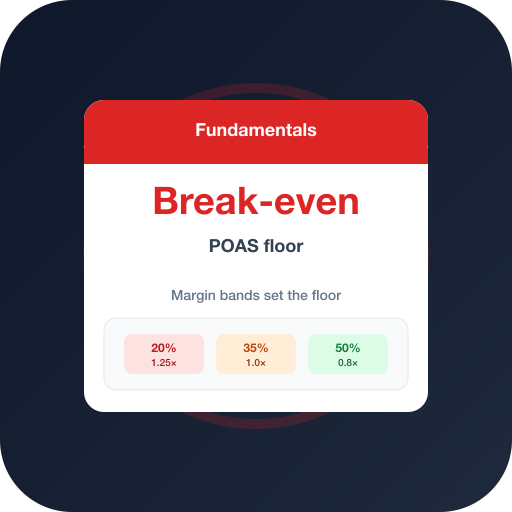
What changes is the Return on Ad Spend required to reach 100% Profit on Ad Spend. A 20% margin band needs far more revenue per ad dollar than a 50% band.
Margin bands and their Return on Ad Spend floors
Segment your catalog into margin bands. For each, the break-even Return on Ad Spend is 1 ÷ margin — and the profit target should sit comfortably above it.
Bidding on profit lets you enforce these bands automatically instead of managing a spreadsheet of per-category Return on Ad Spend targets.
Step-by-step
Follow these in order — each step builds on the previous one.
- 1
Group SKUs by margin band
Split the catalog into low/mid/high margin buckets (e.g. 20/35/50%).
- 2
Compute each band's Return on Ad Spend floor
Break-even Return on Ad Spend = 1 ÷ margin for the band.
- 3
Add a profit buffer
Set the live target above break-even to cover fixed costs and profit.
Try the break-even calculator
Enter your margin band and target Profit on Ad Spend buffer. For a dedicated URL you can bookmark and share, use /tools/break-even-return-on-ad-spend.
Frequently asked questions
Common questions about this topic — tap to read answers.
Is break-even Profit on Ad Spend the same for every store?
Yes — it is always 100%. What differs is the revenue efficiency (Return on Ad Spend) each store needs to reach it, based on margin.
What buffer should I add above break-even?
Enough to cover fixed costs and desired profit — often a target of 120–200% Profit on Ad Spend depending on overhead and LTV.





