






Profit based bidding for ecommerce ads
Stop optimizing on vanity ROAS. Profit Bid connects your store, calculates gross profit per order, and uploads profit-weighted conversion values so Smart Bidding scales SKUs that actually earn — on Google Ads, Meta, TikTok, and more.
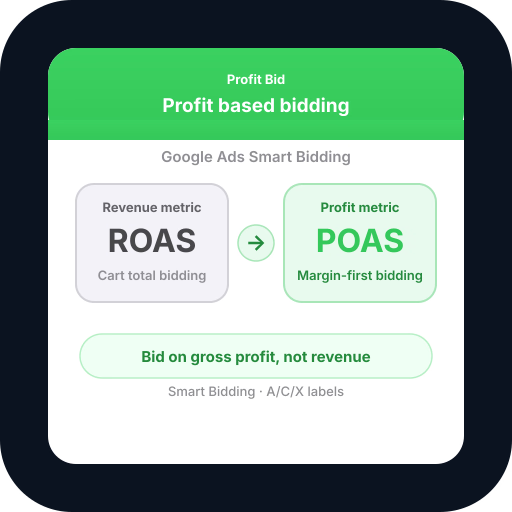
- POAS
- Profit on ad spend
- 6
- Store platforms
- 6
- Ad integrations
- A/C/X
- Smart product labels
See POAS vs revenue-only reporting
Profit Bid connects store costs to ad spend so you bid on margin — not vanity ROAS.
Profit based bidding: ROAS vs POAS
Indexed performance- ROAS (revenue)
- POAS (profit bidding)
After switching to profit-weighted conversion values, POAS rises while revenue ROAS can look flat — that is margin-aware bidding working.
Ad spend efficiency after profit labels
- A — profit winners46%
- C — optimize31%
- X — cut / exclude23%
Profit based bidding reallocates budget toward SKUs with POAS above your target.
Start profit based bidding in minutes — connect store + ads, enable POAS upload, and pick a plan that fits your order volume.
Why revenue bidding fails ecommerce
ROAS and CPA targets look healthy while contribution margin stays flat. Profit based bidding — also called margin-based bidding, POAS bidding, or profit-first Smart Bidding — fixes the signal ad platforms use to spend your budget.
- Google Ads Target ROAS optimizes on conversion value — usually order revenue, not margin.
- High-AOV, low-margin products win auctions and starve profitable SKUs.
- Free shipping, payment fees, and refunds are invisible to default tags.
- Blended account ROAS hides loss-making campaigns funding winners.
What profit based bidding changes
Profit based bidding replaces revenue in your conversion value with gross profit: revenue minus COGS, payment fees, shipping subsidies, and proportional refunds. Google Ads, Meta, TikTok, Microsoft, Pinterest, and Amazon Ads receive the margin-aware value their algorithms need for value optimization.
Profit Bid automates the full loop — store sync, profit calculation, conversion upload with refund retractions, and A/C/X catalog labels — so you do not maintain fragile spreadsheets or manual offline imports.
Your store profit pipeline
Live syncConnect
Store profit data
Calculate
COGS, fees & VAT
Optimize
POAS bidding rules
Activate
Ad platform sync
124%
+12%Avg. POAS index
2.4M
stableOrders / month
$482K
+18%Profit lift
Everything you need for margin-based bidding
POAS conversion upload
Push order-level gross profit to Google Ads Enhanced Conversions, Meta CAPI, TikTok Events API, and other channels — with negative adjustments when orders refund.
Margin-based Smart Bidding
Align Target ROAS / value goals with POAS targets. The same campaign types (Shopping, PMax, Search) optimize on profit instead of top-line revenue.
A/C/X product labels
Classify catalog SKUs by POAS zone and sync custom labels to Merchant Center — scale winners, tune borderline products, exclude chronic loss makers.
Store-connected COGS
WooCommerce, Shopify, BigCommerce, PrestaShop, Shopware, OpenCart, and MerchantPro orders feed real costs — not static margin assumptions.
POAS dashboards
See ROAS and POAS side by side by campaign, SKU, and channel. One workspace for merchants and agency client reporting.
Refund-aware signals
When customers return orders, Profit Bid retracts conversion value so algorithms are not trained on profit that never landed.
How profit based bidding works in Profit Bid
- 01
Connect your store
Sync orders, products, COGS, and refunds from WooCommerce, Shopify, or other supported platforms.
- 02
Link ad accounts
Authorize Google Ads, Meta, TikTok, Microsoft, Pinterest, or Amazon Ads for conversion and label sync.
- 03
Upload profit values
Enable POAS conversion upload — each purchase sends gross profit as the event value for Smart Bidding.
- 04
Label & optimize
Apply A/C/X labels, set POAS targets, and let value optimization shift spend toward margin-positive SKUs.
Revenue bidding vs profit based bidding
| Revenue / ROAS bidding | Profit based bidding | |
|---|---|---|
| Conversion value | Order revenue | Gross profit after COGS & fees |
| Smart Bidding goal | Maximize revenue ROAS | Maximize POAS / margin |
| Low-margin SKUs | Often over-scaled | Suppressed via labels & values |
| Refunds | Often ignored | Retracted automatically |
| Best for | Top-line growth tests | Sustainable ecommerce profit |
Also known as
- Profit bidding
- Margin-based bidding
- POAS bidding
- Profit-first Smart Bidding
- Profit-weighted conversion values
- Profit on ad spend optimization
- Ecommerce profit bidding
- Google Ads profit bidding
Profit based bidding FAQ
What is profit based bidding?
Profit based bidding means ad platforms optimize toward gross profit per conversion instead of revenue. You upload margin-aware conversion values (POAS signals) so automated bidding scales products and campaigns that contribute profit.
Is profit based bidding the same as POAS?
POAS (Profit on Ad Spend) is the metric — profit ÷ ad spend. Profit based bidding is the strategy of using POAS-weighted values as the optimization signal in Google Ads, Meta, and other platforms.
Does profit based bidding work with Google Smart Bidding?
Yes. Target ROAS and Maximize conversion value strategies use whatever values you send. When values reflect gross profit, Smart Bidding behaves like margin-aware bidding without changing campaign types.
Which ecommerce platforms does Profit Bid support?
WooCommerce, Shopify, BigCommerce, PrestaShop, Shopware, OpenCart, MerchantPro — plus Extended coming soon — for store data. Google Ads, Meta, TikTok, Microsoft, Pinterest, and Amazon Ads for profit conversion upload.
How is profit based bidding different from value-based bidding?
Google's value-based bidding uses conversion values you provide — often revenue by default. Profit based bidding specifically uses gross profit as that value, which is critical when product margins vary across your catalog.
Do I need minimum conversion volume?
Smart Bidding needs learning data — typically 30–50 conversions per campaign per month. Profit upload accelerates meaningful optimization once COGS and fees are accurate.
Start profit based bidding — pick your plan
Select a plan and continue to secure checkout — POAS conversion upload included on every tier.
Choose your plan
$14.99/ month
$29For one store getting started with profit-based bidding
- 1 connected store
- 300 orders / month included
- POAS conversion uploads to all Ad Platforms
- Profit dashboard & order snapshots
- Catalog & COGS sync
- Merchant Center XML feed
- GMC Price Insights
- Automatic order backup (stale stores)
- WooCommerce, Shopify, BigCommerce, PrestaShop, Shopware, OpenCart, MerchantPro & Extended
- Unlimited products
- Unlimited support
- Unlimited ad platforms
- $0.03 per extra order






$39/ month
$59For brands that need a second store — same platform or mixed
- Up to 2 connected stores (any mix, including same type)
- 1,500 orders / month included
- POAS conversion uploads to all Ad Platforms
- Profit dashboard & order snapshots
- Catalog & COGS sync
- Merchant Center XML feed
- GMC Price Insights
- Automatic order backup (stale stores)
- WooCommerce, Shopify, BigCommerce, PrestaShop, Shopware, OpenCart, MerchantPro & Extended
- Unlimited products
- Unlimited support
- Unlimited ad platforms
- $0.025 per extra order
$79/ month
$119For multi-store teams with advanced Google Ads
- Up to 4 connected stores (any mix, including same type)
- 5,000 orders / month included
- POAS conversion uploads to all Ad Platforms
- Profit dashboard & order snapshots
- Catalog & COGS sync
- Merchant Center XML feed
- GMC Price Insights
- Automatic order backup (stale stores)
- WooCommerce, Shopify, BigCommerce, PrestaShop, Shopware, OpenCart, MerchantPro & Extended
- Unlimited products
- Unlimited support
- Smart product labels (Google Ads)
- AI Agent POAS optimization
- Unlimited ad platforms
- $0.02 per extra order
$149/ month
$199For agencies and high-volume merchants
- Up to 6 connected stores (any mix, including same type)
- 15,000 orders / month included
- POAS conversion uploads to all Ad Platforms
- Profit dashboard & order snapshots
- Catalog & COGS sync
- Merchant Center XML feed
- GMC Price Insights
- Automatic order backup (stale stores)
- WooCommerce, Shopify, BigCommerce, PrestaShop, Shopware, OpenCart, MerchantPro & Extended
- Unlimited products
- Unlimited support
- Smart product labels (Google Ads)
- AI Agent POAS optimization
- Unlimited ad platforms
- $0.015 per extra order
14-day free trial available — start free · full pricing details