








See POAS vs revenue-only reporting
Profit Bid connects store costs to ad spend so you bid on margin — not vanity ROAS.
Profit vs ad spend → derived POAS
- Gross profit ($)
- Ad spend ($)
POAS is the ratio between these lines. As profit outpaces steady spend, POAS climbs above 160%.
Track POAS automatically from your store — upload profit conversions and scale winners with A/C/X labels.
The five inputs behind POAS
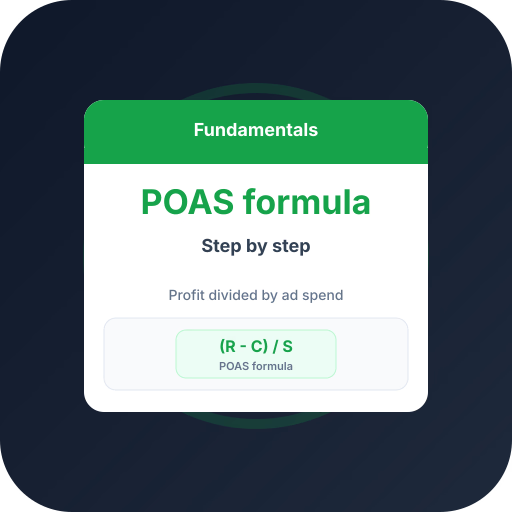
Revenue is the ad-attributed order value. From it, subtract cost of goods sold, shipping cost or subsidy, payment and platform fees, and any refunds to reach ad-attributed gross profit.
Divide that profit by the ad spend that produced it. The result — usually shown as a percentage — is POAS.
A worked example
Say ads drove $10,000 revenue on $2,500 spend. COGS was $4,200, shipping $900, fees $300, and refunds $500. Gross profit is $4,100.
POAS = $4,100 ÷ $2,500 = 164%. The 400% ROAS looked twice as good, but 164% POAS is the number you can reinvest.
Step-by-step
Follow these in order — each step builds on the previous one.
- 1
Pull ad-attributed revenue
Export revenue attributed to ads for the period you want to measure.
- 2
Subtract variable costs
Deduct COGS, shipping, payment fees, and refunds to get gross profit.
- 3
Divide by ad spend
Gross profit ÷ ad spend = POAS. Track it as a percentage over time.
Frequently asked questions
Common questions about this topic — tap to read answers.
Is POAS a percentage or a ratio?
Both notations exist. 164% POAS and 1.64x POAS mean the same thing: $1.64 of gross profit per $1 of ad spend.
Where do I get COGS and fees?
From your ecommerce platform and payment processor. Profit Bid syncs them automatically so POAS stays accurate.





